Professional Video Editing Training Course
Professional video editing training course offers hands-on learning in Premiere Pro, After Effects, color grading, audio editing, motion graphics, and real projects, preparing learners for creative careers, freelancing, and content creation success.
- Practical Learning & Live Projects
- Internship & Placement Support
- Industry Tools & Expert Mentorship

Course Overview
program duration (3–12 months)
Why This Course?
Emphasize 100% placement support
Who Should Enroll
Beginners and advanced learners
Key Takeaways
Real projects and portfolio creation
Course Introduction & Overview

Course Overview
This course provides comprehensive video editing training covering editing fundamentals, professional software, color grading, audio enhancement, motion graphics, and hands-on projects to develop creative, industry-ready video editing skills.
Program Summary
This program delivers professional video editing skills through practical training, real projects, industry tools, and expert guidance to prepare learners for creative careers, freelancing, and content creation opportunities.
What You Learn
You will learn video editing fundamentals, Premiere Pro, After Effects, color grading, audio editing, motion graphics, storytelling, transitions, effects, exporting videos, and creating professional content.
Course Highlights
Course highlights include hands-on video editing training, real projects, professional software mastery, color grading techniques, motion graphics skills, expert mentors, certification, and career support for creative professionals.
Program Benefits
Program benefits include practical video editing skills, real-world projects, expert mentorship, industry tools, certification, career guidance, freelancing opportunities, and confidence to create professional-quality videos.
Learning Outcomes
After completion, learners can edit professional videos, apply color grading and effects, enhance audio, create motion graphics, tell visual stories, and deliver high-quality video content for multiple platforms.

Hands-on Video Editing Feature
Hands-on video editing feature offers practical training with professional tools, real projects, guided practice, creative techniques, and expert feedback, enabling learners to master editing workflows and produce high-quality, industry-ready video content confidently.
Editing Tools
Learn professional video editing software used in industry
Color Grading
Enhance visuals using advanced color correction techniques
Motion Graphics
Create engaging animations, titles, and visual effects
Audio Editing
Improve sound quality with professional audio enhancement techniques
professional video editing FAQs
What is a Video Editing course?
A Video Editing course teaches how to edit professional videos using industry tools, storytelling techniques, color grading, audio enhancement, motion graphics, and post-production workflows.
Who can enroll in a Video Editing course?
Students, beginners, content creators, YouTubers, freelancers, and professionals can enroll in a Video Editing course with basic computer knowledge.
Is the Video Editing course suitable for beginners?
Yes, the course is beginner-friendly and starts with fundamentals before moving to advanced editing techniques and real-world projects.
What skills will I learn in a Video Editing course?
You will learn video editing basics, professional software, color grading, audio editing, motion graphics, storytelling, and exporting videos for multiple platforms.
What tools are covered in the Video Editing course?
The course covers Adobe Premiere Pro, After Effects basics, audio editing tools, color grading tools, and stock media resources used by professionals.
Does the Video Editing course include practical training?
Yes, the course includes hands-on training with real projects, practical assignments, and portfolio development for industry experience.
Can I work as a freelancer after completing the course?
Yes, after completing the course, you can work as a freelance video editor, take client projects, and earn through freelance platforms.
Is certification provided after course completion?
Yes, a recognized course completion certificate is provided, helping learners validate video editing skills and improve job opportunities.
What career opportunities are available after a Video Editing course?
Career options include Video Editor, Content Creator, Motion Graphics Designer, YouTube Editor, and Freelance Video Editor.
Why choose a Video Editing course for career growth?
Video editing offers high demand, creative career options, freelancing flexibility, global opportunities, and continuous growth in digital media and content creation.
Video Editing Tools
Advanced Video Editing Software
Adobe Premiere
Edit professional videos with advanced timeline and effects
After Effects
Create motion graphics, animations, and visual effects professionally
DaVinci Resolve
Perform advanced color grading and professional video editing
Audition Audio
Enhance audio quality with professional sound editing tools
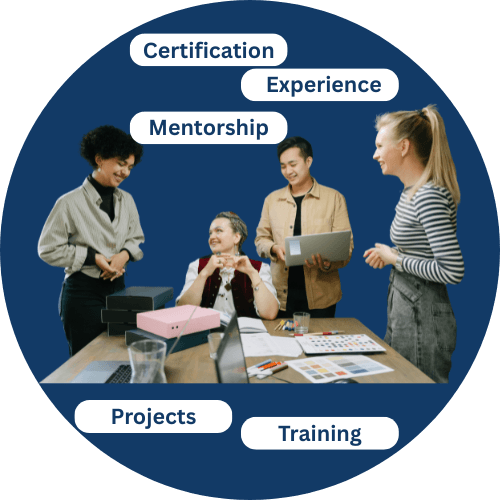
Career Guidance
Internship placement support
Gain real-world experience through industry internships and dedicated placement support. We assist with resume building, interview preparation, and job referrals, helping students confidently start successful careers in digital and social media marketing.
Why Choose GIDM ?
Your Trusted Path to Skill, Freelance Training Support
GIDM offers practical, results-focused freelancing training with real projects, expert mentorship, and hands-on skill development, giving beginners and professionals the tools, confidence, and support needed to win clients and grow online income successfully.
- Real Client Projects
- Expert Trainers
- Step Freelancing Roadmap
- In-Demand Digital Skills
- Personal Mentorship & Support
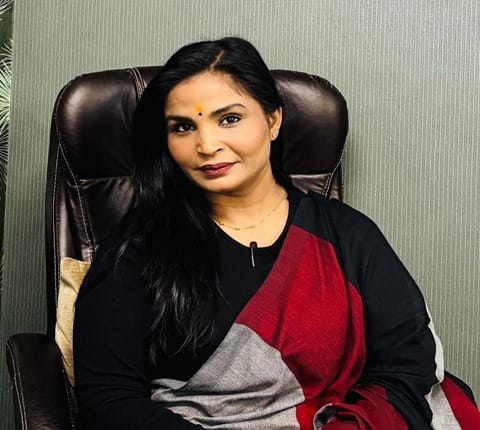
Maya Singh
CEO & Founder
Mobile
+91 81780 67868

start earning successfully online
FAQs
Standard Video Editing FAQs
What is the Standard Video Editing course at GIDM?
The Standard Video Editing course at GIDM provides practical training in video editing fundamentals, professional software, color correction, audio editing, and real-world projects for beginners.
Who can enroll in the Video Editing course at GIDM?
Students, beginners, YouTubers, content creators, freelancers, and working professionals can enroll in the GIDM Video Editing course with basic computer knowledge.
Is the Video Editing course at GIDM beginner friendly?
Yes, the GIDM Video Editing course is beginner friendly and starts with basic editing concepts before moving to professional tools and techniques.
What skills will I learn in this Video Editing course?
You will learn video editing basics, Adobe Premiere Pro, transitions, color correction, audio enhancement, motion graphics basics, and exporting videos for different platforms.
Does GIDM provide hands-on practical training?
Yes, GIDM focuses on hands-on practical training with live editing projects, assignments, and portfolio-based learning.
Is certification provided after completing the course?
Yes, GIDM provides a recognized course completion certificate that helps learners showcase video editing skills to employers and freelance clients.
What career opportunities are available after this course?
After completing the course, learners can work as Video Editors, Content Creators, YouTube Editors, Freelancers, or Video Production Assistants
Help & Support
Help and Support for Your Digital Marketing Journey
24/7 Service
Round-the-Clock Support Services for Our Students
+91 81780 67868